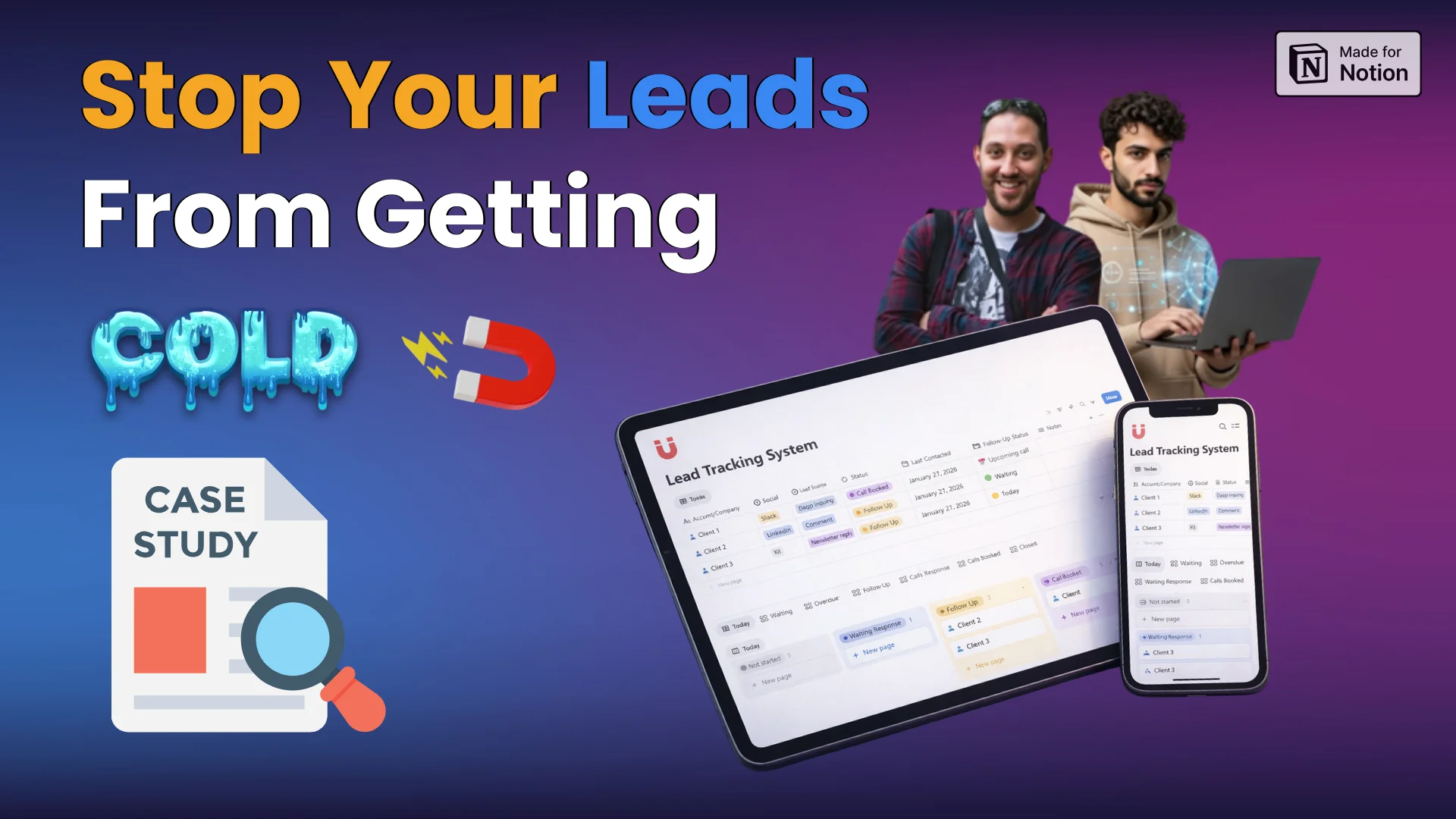
How to Track Leads in Notion Without Overbuilding (Case Study)

Article by: Nixi ⚡
Notion Consultant & Creator
A solo operator had leads coming from everywhere — LinkedIn, email, Slack, newsletter replies,
and no system to track any of them. We built one in Notion. Simple, fast, and actually usable.

Patrick / reddit
GIS Analyst & Automation Specialist
⭐⭐⭐⭐⭐
The Notion template was exactly what I needed. Detailed and most of all organized!

Built by Nixi & Abdo ⚡
Notion consultants specializing in custom workflow systems.
The situation
A familiar problem, found on Reddit
Patrick posted on Reddit about something a lot of people deal with — leads coming from everywhere but no clear system to manage them. He wasn't a disorganized person.
He just didn't have the right architecture in place. He was already using a solid set of tools. The problem wasn't the tools — it was that nothing was built to surface follow-ups before they went cold, and there was no single place to see the full picture.
At the time, leads were coming from several places:
LinkedIn (DMs, comments, post engagement)
Newsletter replies
Warm intros from his network
Inbound inquiries like partnerships or speaking requests
The tools he was already using were:

The Challenge
What the client actually needed:
He wasn't looking for a full CRM. He just wanted clarity — a system clean enough that a CEO could open it and understand it in seconds.
→ a way to track where each lead came from
→ visibility into where leads are in the process
→ a simple mechanism to surface follow-ups
→ views that make daily operations easy
→ something a CEO could open and instantly understand
The Solution
What we built
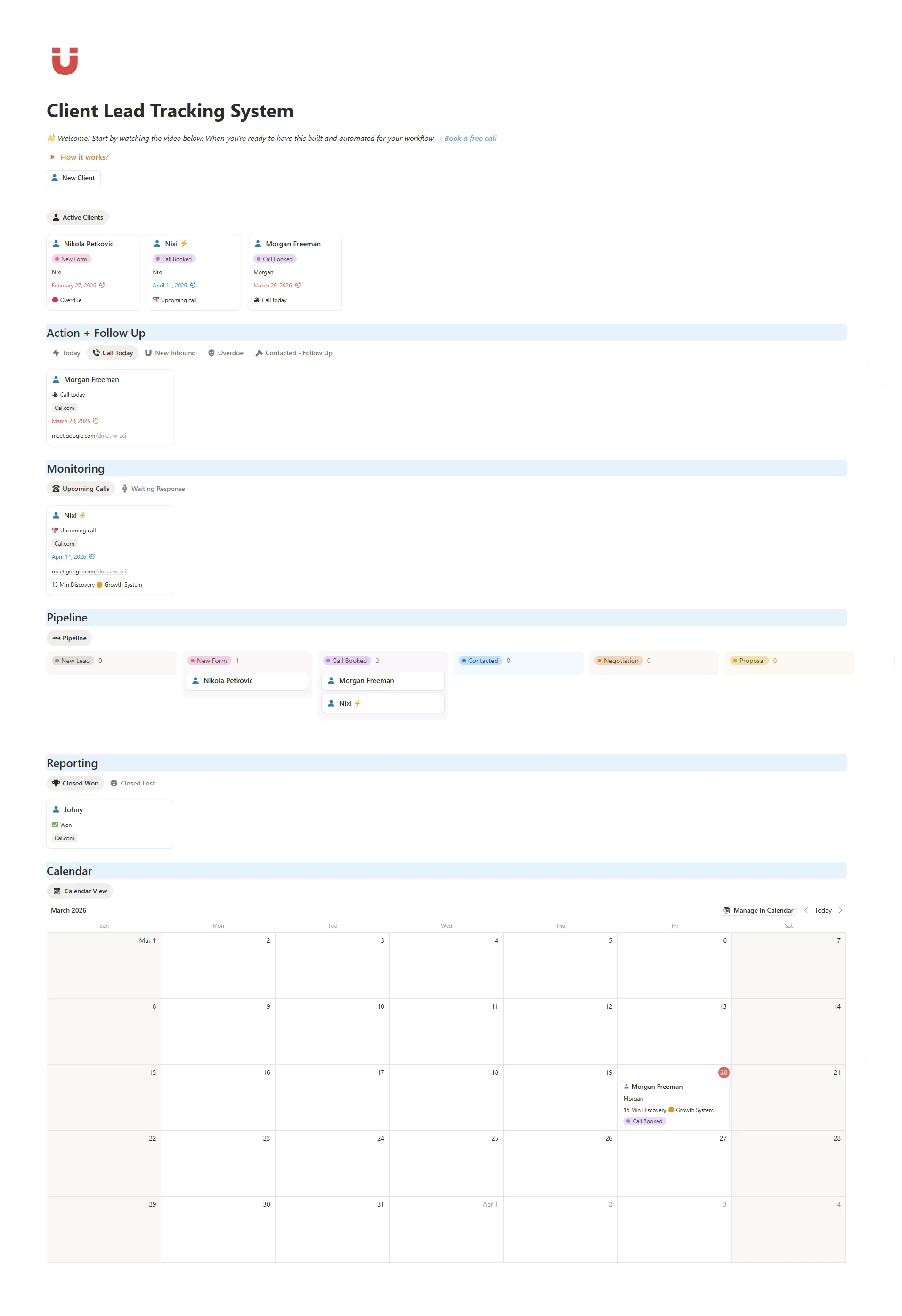
We focused on a single database that handles the essentials. Lead source, status, and follow-ups all live in one place, making it easy to see what’s happening at a glance.
The system does a few things well:
tracks where each lead came from
shows clearly where each lead is in the process
surfaces follow-ups before things go cold
This wasn’t meant to be a full CRM replacement.
It was designed to solve one specific problem first, then leave room to grow only if needed.
The goal was a system that anyone, including a CEO, could open and understand in seconds.
Why Notion was a good fit
Because there was no CRM in place yet, Notion made sense.
It was already part of his workflow, flexible enough to adapt, and fast to iterate on.
The key was not to turn it into a complex system that would slow everything down.
Watch How This System Works in Real Life
We are actually using a similar version for our Automatic Notion CRM, so everytime someone books a call or fills in the form, the lead gets automatically synced inside the Notion database, we get notifications and the system helps us not miss any booked call or follow ups, and answer the form request as fast as possible.
What's inside the system
One database. Three core jobs.
Lead Source Tracking
Every lead tagged by source — LinkedIn, newsletter, Slack, warm intro.
Pipeline Status
Custom views show where each lead is in the process at a glance.
Follow-Up Surfacing
Date logic surfaces follow-ups before they go cold. Nothing falls through.
Daily Operations View
A filtered "Today" view showing exactly what needs attention each morning.
Board View
Kanban-style layout for a visual overview of the full pipeline by status.
Notes & Links
Context and links attached to each lead — everything in one record.
The Result
Before & After
The system didn't replace a full CRM, it solved the specific problem in front of him.
Clean, fast, and built to grow only when there's a real reason to.
✕ Before
- ✕Leads scattered across DMs, email, Slack
- ✕Follow-ups easy to miss
- ✕No pipeline visibility
- ✕No single place to check daily
✓ After
- ✓One clear system in Notion
- ✓Follow-ups surface before going cold
- ✓Full pipeline visible at a glance
- ✓Daily view ready every morning
Our Take
Start simple. Solve the real problem first.
Most people don't fail because they lack a good system. They fail because they build too much too fast. The best Notion systems solve one specific problem cleanly — and only expand when there's a real reason to. That's what we built here. A system Patrick could open on day one and actually use.
Want this built around your workflow?
This system works well out of the box, but every workflow is different.
We also design custom Notion systems based on how you actually work, not generic templates.
If you want something like this tailored to your setup, you can learn more by clicking the button below.
Or you can fill out this form,
and we will get back to you in less than 24h!
FAQ's
Is this a full CRM?
No. It’s a simple lead tracking system built to prevent leads from going cold. It focuses on clarity, not complexity.
Who is this system for?
Founders, solo operators, small teams, or anyone who doesn’t have a formal CRM yet and wants something lightweight inside Notion.
Can you customize this for my workflow?
Yes. This system often becomes the foundation for custom builds tailored to specific workflows.
Can this be expanded later?
Yes. More databases, automations, and reporting can be added when there’s a real need. The system is intentionally simple to start.
Will this work for non-Notion users?
You’ll need a Notion account, but no advanced knowledge. The system is designed to be intuitive from day one.
Is this better than using a traditional CRM?
It depends. If you need deep sales automation, a CRM might make more sense. If you want visibility and control without overhead, this works very well.


On-Chain Income
Crypto Notion Templates
Copyright © 2026 On-Chain Income.
All rights reserved.

Menu
Socials
Info/Resources