Bitcoin Investment Tracker ₿
The Bitcoin Investment Tracker gives you one clean place to log every bitcoin transaction and always know your real return.
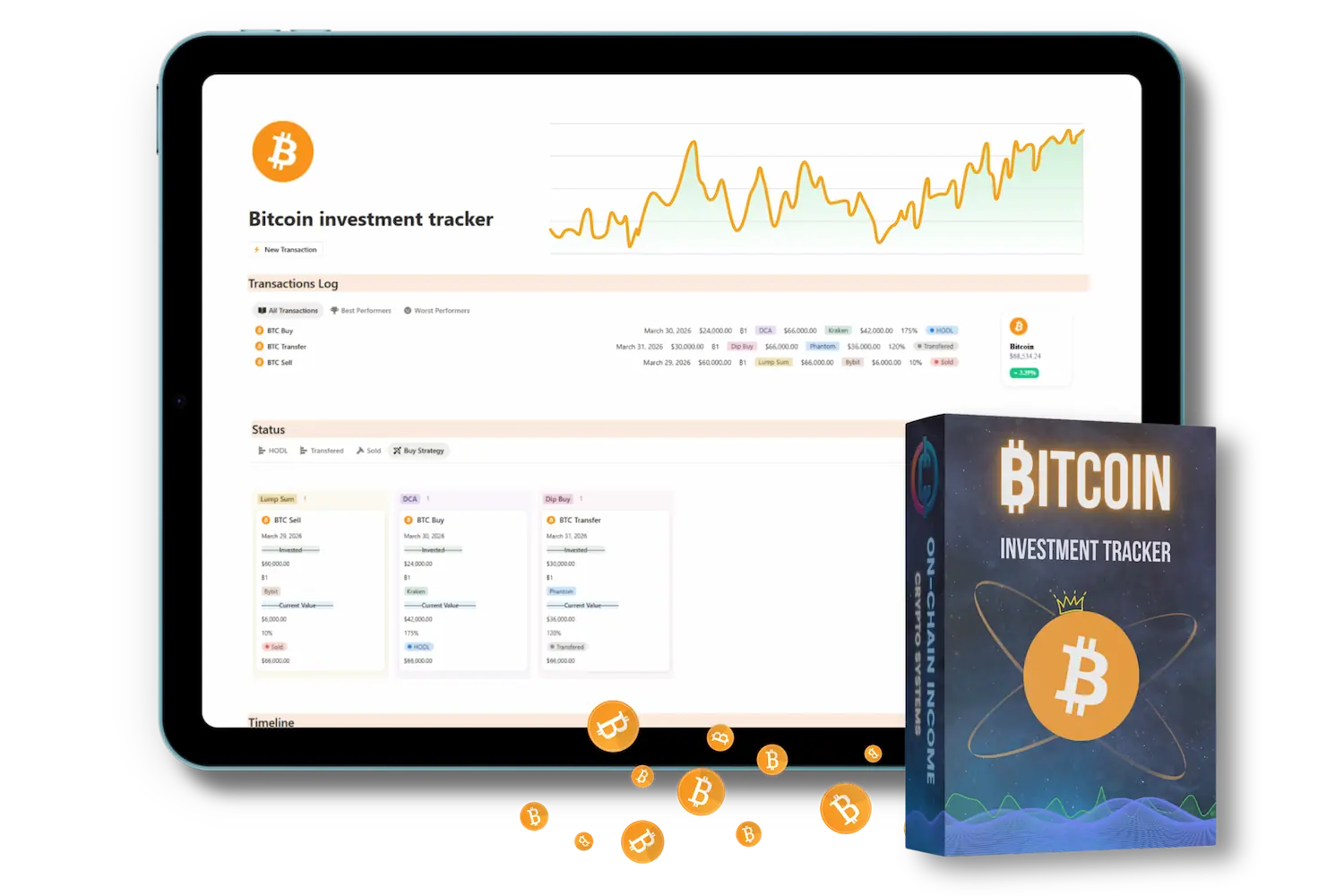

Created by Certified Notion Expert
Hi, I’m Nixi. I am a Certified Notion Creator and Strategic Investor with over 4 years of experience building high-performance crypto infrastructure. My systems have helped 5,780+ traders worldwide transition from manual tracking to a professional, organized workflow.
What Is a Bitcoin Investment Tracker and Why Every Holder Needs One
You've bought Bitcoin. Maybe multiple times, at different prices, through different platforms. But do you actually know your average cost basis right now? Do you know your total invested amount, your unrealized gain, or exactly when you bought each stack?
Most Bitcoin holders don't, and that's a problem. Not because it affects how Bitcoin performs, but because it affects how you make decisions. Without a clear record, you're flying blind when it comes to tax time, DCA reviews, or deciding whether to add more at the current price.
A Bitcoin investment tracker solves this. It gives you one place where every purchase is logged, your cost basis is always current, and your real return is never a guess.
Here's what you'll get access to when you download 👇
What's Inside the Free Bitcoin Investment Tracker Template
Every feature in this tracker is built around one goal: knowing exactly where your Bitcoin stands at any moment.
Here's what you get:
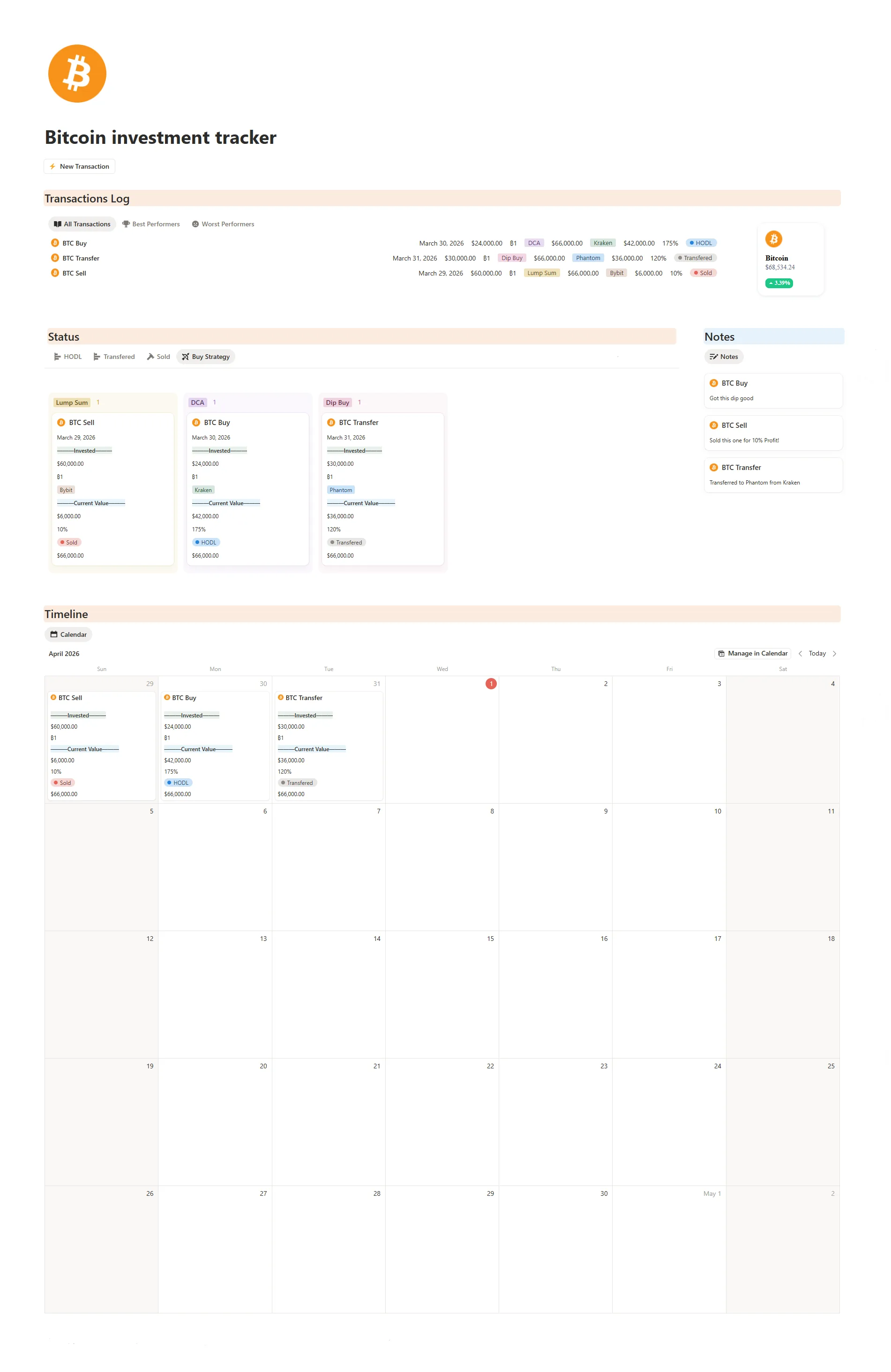
Transactions Log — The core of the tracker. Log every BTC Buy, Sell, or Transfer with date, amount invested, BTC quantity, buy strategy (DCA, Lump Sum, or Dip Buy), exchange used (Kraken, Bybit, Phantom, etc.), current value, and your return percentage. Filter instantly between All Transactions, Best Performers, and Worst Performers to see what's actually working.
Status Board — A visual kanban-style view of your entire Bitcoin position, organized by status: HODL, Transferred, or Sold. See each transaction as a card with its full details — invested amount, current value, return %, and buy strategy — so you always have a live picture of your stack at a glance.
Notes — A linked notes panel attached to each transaction. Add context to every move: "Got this dip good," "Sold this one for 10% profit," "Transferred to Phantom from Kraken." This is what turns a spreadsheet into a real journal — the reasoning behind every decision, attached exactly where it belongs.
Timeline — A calendar view of all your transactions by date. See your buying and selling activity laid out month by month, so you can spot your DCA rhythm, review how you behaved during price swings, and build self-awareness around your habits as a holder.
How to Track Your Bitcoin Investments in Notion
Using this template is straightforward. Each time you buy Bitcoin — whether it's $50 or $5,000 — you add one entry: the date, the BTC amount, the price you paid, and the platform. That's it.
The template handles the rest. Your average cost basis updates automatically, your total stack grows, and you always have a clean record of every purchase you've ever made.
This matters more than most people realize. When Bitcoin is up 3x and you're deciding whether to take profits, you need to know your real return — not a rough estimate. When tax season arrives, you need actual dates and prices, not screenshots. This tracker gives you that record from day one.
Who This Bitcoin Tracker Template Is For
This template is built for long-term Bitcoin holders — people who buy and hold, DCA regularly, or are building a position over time. If you're a spot trader tracking dozens of altcoin entries and exits, the Crypto Trading Journal is the better fit. If you're stacking sats and want clean records, this is your tool.
It works equally well whether you buy on Coinbase, a hardware wallet setup, a Bitcoin-only exchange, or any combination. As long as you can answer "how much BTC did I buy, at what price, and when" — this template handles the rest.
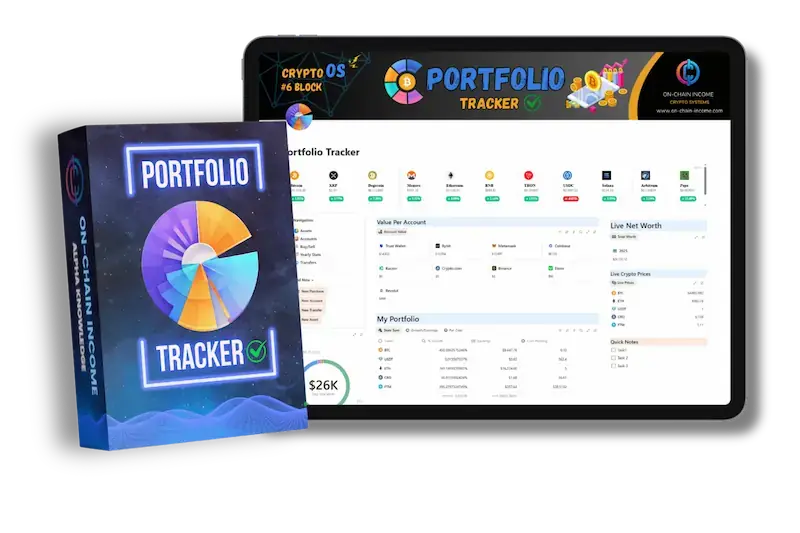
Looking for a Complete Portfolio System?
Crypto Portfolio Tracker - helps you track your investments with live price updates!
Want a Notion system built just for you?
We build custom systems for personal use & businesses.
Crypto traders, founders, solopreneurs — done-for-you.
Get Early Access 🔔
To New Notion Templates & Exclusive Discounts!
100% Free - Unsubscribe Anytime ✓
Join 2,400+ Notion users ✓
1 email per week ✓
Frequently Asked Questions?
Learn more about Bitcoin Investment Tracker and services with the most frequently asked questions.
Knowing your cost basis and tracking your Bitcoin purchases is something every holder should do from the start — not just experienced investors. This free template removes every barrier to building that habit. If you want a more complete crypto system with portfolio tracking, watchlists, and trade journaling, be sure to check out our Premium Crypto Notion Templates
Of course, you can use all our Free and Premium Templates with a Free Notion Account!
Our Free Templates give you a glimpse of what Notion is and how it can be used. We also write all our guides and courses inside Notion, because it is simply and easy to use. Our Premium Notion templates, on the other hand, require more time and countless hours to create. They offer an all-in-one system that allows you to make the most out of Notion and crypto.
Sign up for Notion, Once you sign up with your email, you will receive a link via email. Clicking on the link will open a Notion page in your browser. To duplicate the Template to your Notion workspace, find the "duplicate" button located at the top right side of the web page.
All On-Chain Income Templates eliminate complexity while ensuring ease of use and adaptability. Crucial for the complex crypto space! Every aspect of our Templates is designed for maximum efficiency. The real thing that sets us apart is that everything is seamlessly connected in our Templates, especially in Crypto OS, and we also use all the Templates ourselves.
Yes! You can customize the Templates to fit your specific needs, and if you don't know how, I can help you out, just contact me here - Contact Me
We offer a generous 50% affiliate program for you! You just sign up, start promoting our Templates and when someone buys you get 50% commission! Read more about how affiliates work on our official Affiliates Page.
That's awesome, send us an email to onchainincome@gmail.com we will be happy to answer them all!


On-Chain Income
Crypto Notion Templates
Copyright © 2026 On-Chain Income.
All rights reserved.

Menu
Socials
Info/Resources